At a glance
- iPhone firstYour dog, in one app
- See and hearCamera and sound, together
- What it might meanWe say when we're unsure
- Their own walletTest funds only, with your rules
- You decideSuggestions, approval, or help within limits
- Still testingDemo only. No real money
A phone for the ones
who can’t hold one.
Your dog gets an agent of their own. It uses camera and sound, remembers what you teach it, and asks before taking on a new task. Their history, rules, and wallet stay together in the app. iPhone comes first; our own hardware can wait until the app is ready.
See and hear
A little more understanding.
See their movements. Hear a bark or a whine. Camera and sound help MeowWa make a guess. Tell us if we got it right.
Sounds and movements, together
Use the camera and microphone to notice your dog's sounds and movements. Barks, whines, growls, and howls are part of the picture.
What might they need?
Camera and sound give it context; familiar meanings come from what you've taught it. A new guess is marked as a guess and waits for your answer. It can't tell you exactly what your pet is saying.
How sure? Probably, possibly, or not clear.
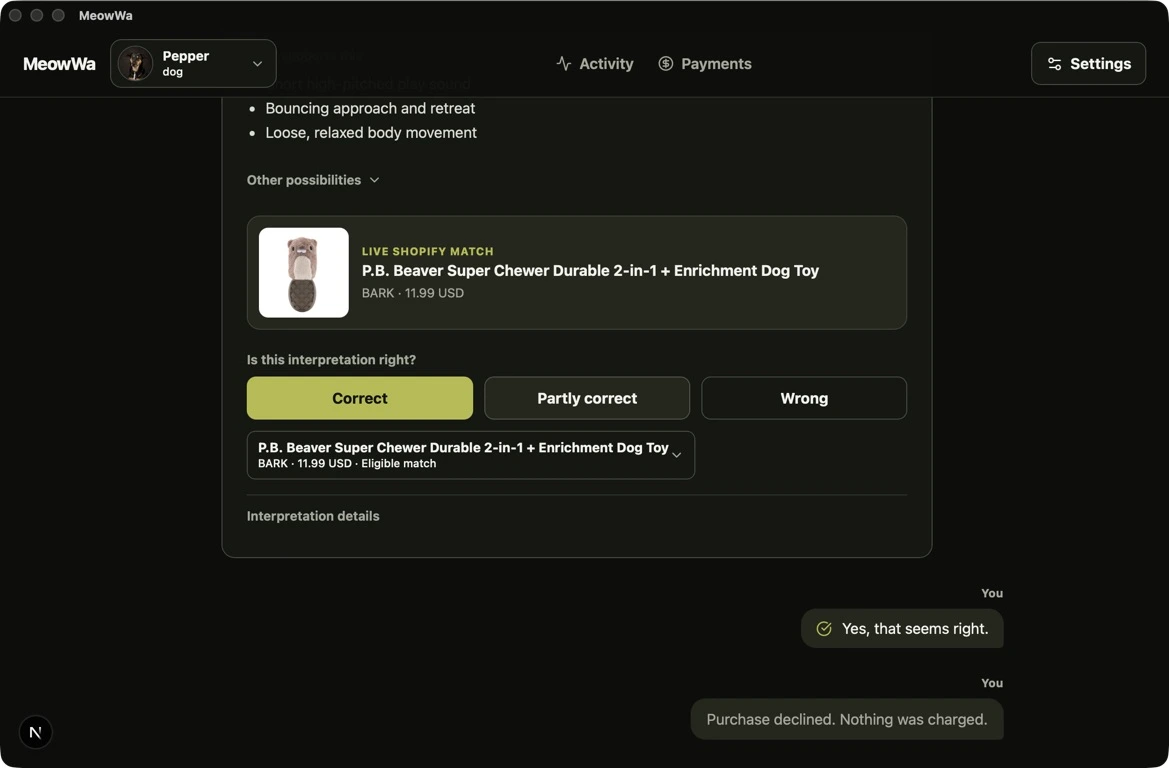
MeowWa says how sure it is in words. Tell it whether the guess is right, partly right, or wrong. Your dog's habits stay separate from every other dog's.
We say when we don't know
If the view or sound isn't clear, try another moment. It can't tell you if your pet is sick. Signs of distress point you to a vet and never trigger a purchase.
One moment with Pepper
- Pepper whines by her empty bowl.
- You tap Analyze Pepper and it reads camera and sound together.
- It hears her whine and offers a guess: I think I’m hungry. Maybe your company too, though less likely. Then it waits for you.
- You tap Yes and it’s saved. Dinner is served.
Illustration made with AI. Not real app footage.
Your dog. Your choices.
A bark never gives the app permission to act. You choose what it can do, its limits, and for how long. It starts by asking you first.
Teach it your dog's habits
Tell it what a familiar sound means for your dog. Correct or delete a saved meaning anytime. One uncertain guess doesn't become a fact.
Start with one small task
Choose one dog, one familiar sound, and one thing you want help with. Creating a task doesn't give it permission to act.
Choose how much help you want
Suggestions only, ask every time, automatic within your limits, or your own setting within the app's limits. New tasks start by asking you first.
Make your own rules
Choose the action, its limits, and when access ends. Changed tasks need another review. The app can't give itself more access, and you can pause it anytime.
A wallet is one of its tools
Each dog can have its own wallet, with access you can turn off. Payments are still for practice. Connected devices are planned for later.
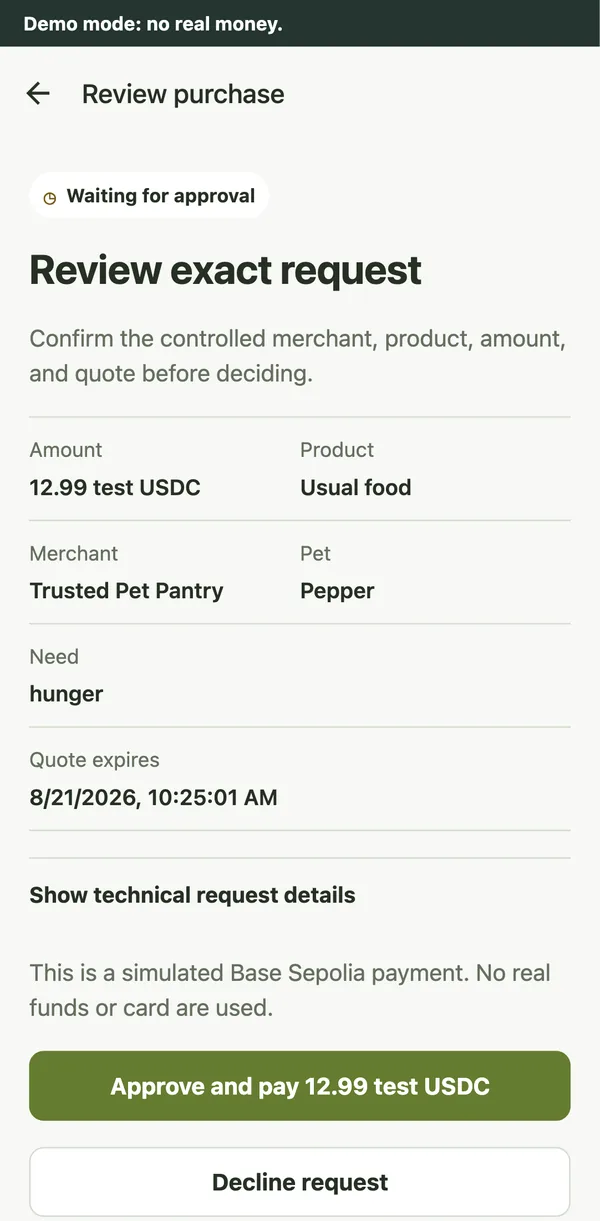
A simple yes or no.
See the item, seller, price, reason, and time limit together. The app checks your rules before asking. Say yes or no; if you don’t answer, the request expires. Approval and completed payment are recorded separately. These are practice payments, with no real money.
The app
Your dog, in your pocket.
iPhone is the app we’re building for you. Mac and web let us try things out along the way. Your dog’s history and rules stay together across them.
- Coming first
iPhone
The app we're building for everyday use. You can't download it yet.
- Invite only
Mac
An app for people we've invited to try it, using test funds.
- Just for testing
Web
We use this to try things out.
- Shared
Your dog's history
One history and one set of rules across the apps. A limit set on one screen applies on the others too.
Three simple steps.
Start the camera and sound when you choose. Stop whenever you want. There’s no hidden recording in the background.
Choose your dog
Open the app, choose your dog, and start the camera and microphone. You choose access and can stop anytime. The app needs to stay open and online.
See what it thinks
See what the camera and sound suggest together. Say right, partly right, or wrong, and teach it what a familiar moment means for your dog.
You decide
Every request is checked against your rules. Anything outside your current limits waits for you. Unanswered requests expire.
Our own hardware, later.
An early concept for a MeowWa device of our own. It isn’t for sale, and the iPhone app comes first.
Tell us what you’d want from itAn early concept. Not a final design.
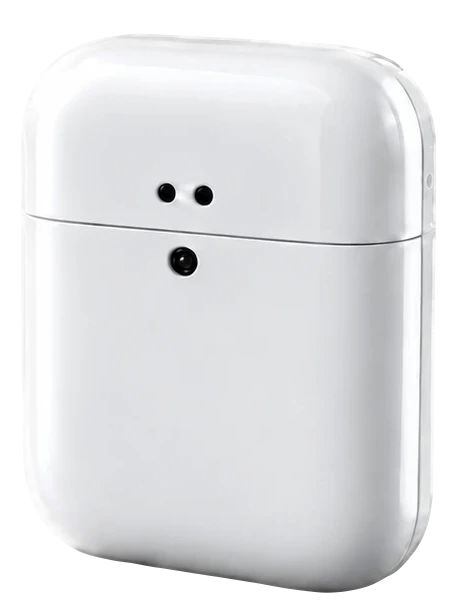
FrontTwo small holes and a round dark dot. 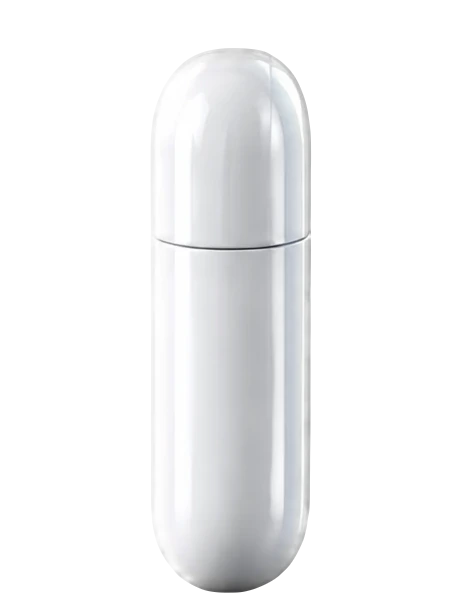
SideSlim, with rounded ends. 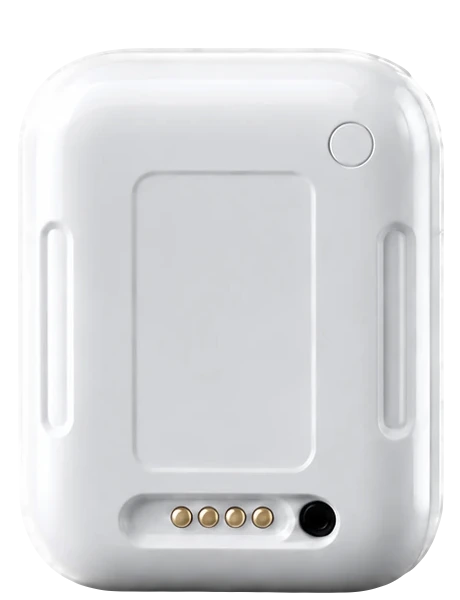
BackTwo long slots, four small gold dots and a dark circle.

Come say hello. Try it with us.
Join the waitlist to hear when you can try the app. Want a walkthrough? Leave a message about what you’d like to see.
We’re still testing MeowWa. You can’t download the app yet, and no real money moves.